




Workshop Windows Tablet: Bringing Legacy Desktop Apps to the Production Line
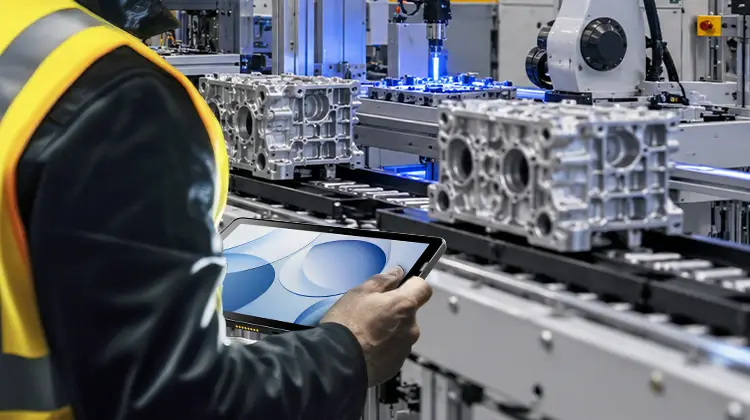
Many factories still run on old software — ERP thick clients developed a decade ago, MES time-tracking tools written in .NET, ActiveX controls, data acquisition programs that depend on COM ports. These applications aren't broken. But they can't run in a browser, and nobody dares rewrite them for Android.
The real question isn't "which tablet to buy." It's: how do you take an industrial-grade rugged Windows terminal and run those legacy desktop applications exactly as-is — in an environment full of oil, dust, gloves, and intermittent network connectivity?
This article covers compatibility, specifications, OS lifecycle, product strategy, deployment, and acceptance testing — layer by layer.
1. Six Compatibility Barriers for Legacy Desktop Applications
Moving back-office systems to the shop floor isn't just about "powering on." Old applications fail in six specific ways:
Architecture barrier: Legacy ERP is an x86/x64 .exe or .msi. ARM-based tablets are ruled out immediately. Intel/AMD native instruction set is mandatory.
OS version barrier: A Win7-era client on Windows 11 Home may lack VC++ redistributables, .NET 3.5, or IE components. You need IoT Enterprise or LTSC for backward compatibility.
Peripheral driver barrier: Barcode scanners, serial-port scales, PLC network cards, and label printers depend on specific COM/USB drivers. Missing one driver blocks the entire workflow.
Domain and permissions barrier: ERP login relies on Active Directory, group policies, and certificates. A consumer-grade tablet that can't join the domain is effectively a dead terminal.
Display and input barrier: Workers wear gloves, screens reflect overhead lights, hands are wet or oily. Standard capacitive touchscreens fail, and old UI buttons are often too small.
Network and offline barrier: Wi-Fi roaming drops connections, AP handoffs cause delays. Clients without local queuing lose transactions or submit duplicates.
Fail any of these six, and the hardware — no matter how expensive — is useless.
2. MES/ERP Specification Matrix by Scenario
Instead of shopping by "IP65, 10-inch," map your requirements into a decision matrix:
| Dimension | Production Line Station | Warehouse / Logistics | Field Inspection (Utility/Gas/Water) | Medical / Retail Back Office |
| OS | x86 Windows IoT / LTSC | Same, prioritize Wi-Fi roaming | Same, prioritize GPS + camera | Same, prioritize compliance + silent operation |
| Compute | Dual-core min, 8GB RAM | 8GB + 128GB | Low to medium | Medium, low heat |
| Display | 10" class, glove touch | High brightness, wet hand capable | Outdoor readable, anti-glare | Eye comfort, anti-fingerprint |
| Capture | 1D/2D hard scan | Long-range scan, optional RFID | Scan + photo + NFC | Scan + signature + photo |
| Protection | IP65, 1.2m drop | Drop resistant, anti-condensation | Wide temp, dust/water resistant | Easy to disinfect, low noise |
| Management | MDM unified image | Zero-touch provisioning | Remote wipe / lock | Audit log, role-based access |
Note: Spec thresholds reference common industrial terminal practices (x86 compatibility, LTSC lifecycle, MDM batch deployment).
3. OS Lifecycle: Don't Let the Tablet Outlive Its Operating System
The hidden trap in shop-floor terminals: "Hardware lasts 7 years, but the OS stops updating in 2."
Standard Win10/11 Consumer Edition: Frequent feature updates can break production-line software with unexpected patch changes.
Windows IoT Enterprise LTSC: The right choice for fixed-function devices. Single-version, 10-year security updates, no major feature pushes. Ideal for MES clients that need to "run stable and never change."
Procurement action: Before buying, check Microsoft's lifecycle table. Confirm the factory image version and its end-of-support date. Make sure it covers the device's planned retirement timeline.
Patch strategy: Schedule security updates in planned windows (e.g., quarterly maintenance). Freeze feature updates. Prevent "midnight reboot kills the time-tracking terminal." The system lifetime should equal or exceed the hardware lifetime. Only then is it maintainable.
4. From Scenario Pain Points to a "Just Right" Industrial Terminal
The six compatibility barriers, the specification matrix, and the OS lifecycle discussion come together in real workstations:
A QC inspector on the production line scans DPM codes — the screen must respond even with oil on it.
A warehouse worker walks 20,000 steps per shift — the tablet can't die halfway through, and can't lose data when the network drops.
A utility meter reader views work orders under direct sunlight outdoors, snaps photos of meters, and taps NFC on asset tags.
Retail inventory staff and mobile nursing teams need quiet, lightweight devices that can be disinfected — no pop-up ads, no surprise updates.
At this point, the realization is: you don't need to turn an industrial tablet into a bulky industrial PC. And you don't need to sacrifice the Windows ecosystem for thinness and lightness.
The right approach is: slim form factor + industrial-grade protection + native Windows + embedded professional scan engine.
Following this direction, the SEUIC AUTOID Pad Air-(Win) is purpose-built for these scenarios. Its design logic directly addresses everything discussed above:
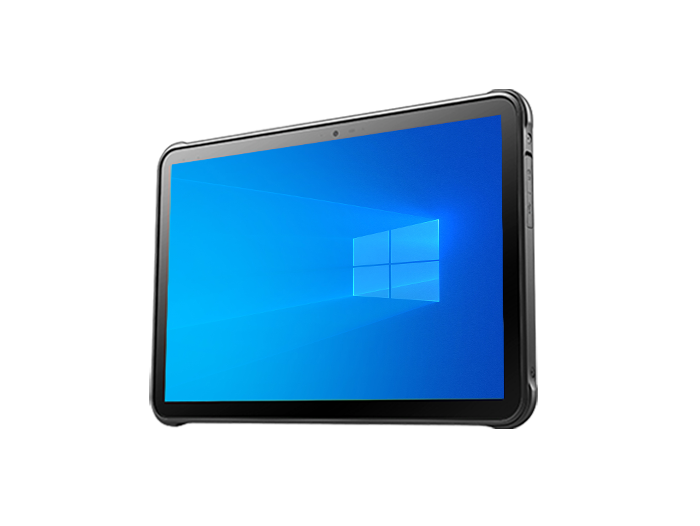
Native x86 Windows 10 IoT — full legacy desktop compatibility
Runs .NET and Win32 ERP clients, MES time-tracking executables — no recompilation needed. For factories, this means "zero-modification migration of legacy systems to the shop floor." For warehousing and retail, it means directly reusing existing ERP/WMS clients instead of building a separate Android application stack.
10.1" slim body + IP65 + 1.2m drop + professional scan engine
Weighs approximately 690g. Touchscreen works with oily or gloved hands. Built-in laser/2D scan engine delivers high first-pass read rates on curved, reflective, and small barcodes. Scanning parts on the production line, totes in the warehouse, lot numbers at the pharmacy, wristbands at the hospital — all closed-loop on the same device.
Mobile shift endurance + multi-sensor suite + on-site data capture
Dual-band Wi-Fi, GPS/BeiDou, front/rear cameras, NFC, accelerometer/gyroscope. Offline caching of work orders, automatic upload when connectivity returns. Meter reading with photo evidence, bedside signature plus photo capture, field enforcement documentation — all completed on one terminal.
From standalone device to fleet management
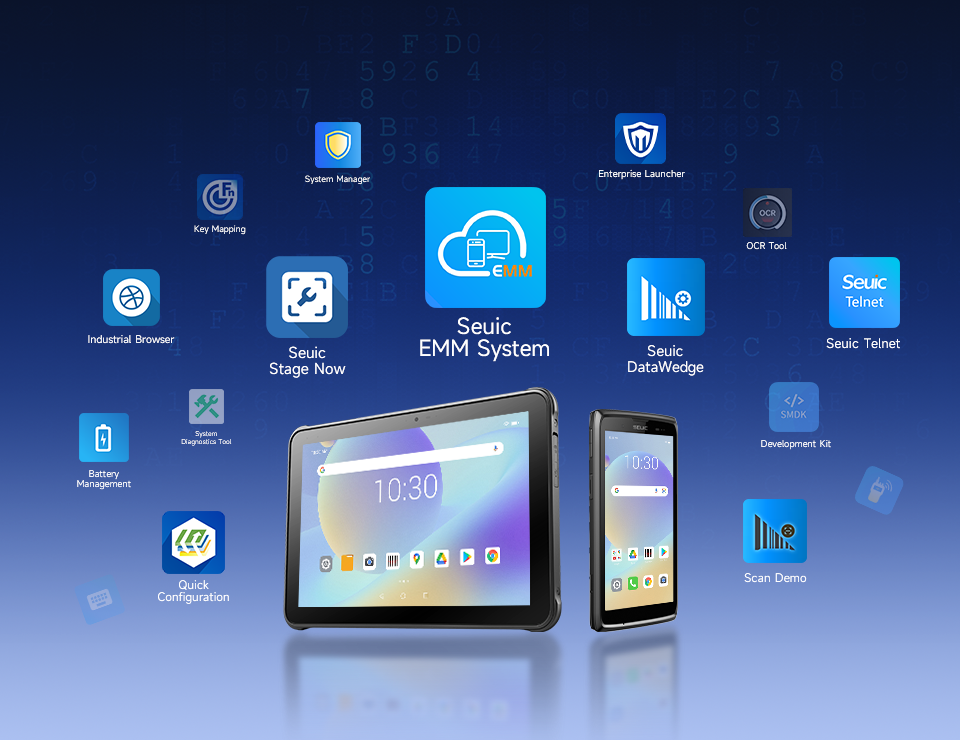
Works with EMM/MDM platforms for batch image deployment, remote configuration, lost-device wipe, and application whitelist/blacklist. When rolling out 50 or 500 units, IT doesn't have to touch each device individually.
This isn't a consumer tablet stuffed into a rugged shell. It's Windows compatibility + industrial data capture + rugged mobility compressed into a single 10-inch device.
5. Five-Step Deployment Architecture: Moving Desktop Applications to the Shop Floor
Step 1: Inventory your application assets
Export the ERP/MES client, dependency DLLs, printer/serial port list, AD accounts and certificates. Identify which modules must run locally.
Step 2: Build a golden image
Install the OS, drivers, client applications, write filter, and lock-down policy on one reference device. Solidify it as the master image. All subsequent devices clone from this — no configuration drift.
Step 3: MDM/EMM enrollment
Pre-configure Wi-Fi certificates, VPN, kiosk mode, and remote wipe. New devices scan a QR code to join the domain — online in 2 minutes.
Step 4: Network and edge queuing
Verify Wi-Fi roaming coverage per workstation (target: -65dBm). Add a local transaction queue to the MES client for offline continuation and duplicate prevention.
Step 5: Phased grayscale rollout
Start with 1 production line or 1 warehouse zone → run across shifts for 30 days → replicate the image across the facility. Keep a 10% spare device pool.
6. 30-Day PoC Acceptance Criteria
Don't accept "feels good." Track hard metrics:
First-pass scan rate: ≥98% (including dirty codes, curved codes, cold-storage condensation codes)
MES client stability: ≤1 crash per device per week. Cold boot to login <60 seconds
Wi-Fi roaming drops: ≤1 per shift. Reconnection <3 seconds
End-of-shift battery: ≥20% under typical load (or supports mid-shift hot-swap without shutdown)
Data consistency: 200 offline transactions synced back online — zero loss, zero duplicate submissions
Operations cost: New device provisioning reduced from 45 minutes to under 5 minutes. Remote resolution rate >80%
Only when these criteria are met should you move from "trial" to "volume procurement."
Shop floor digitalization isn't about throwing away your legacy ERP and starting over. It's about giving those old applications a Windows terminal that lives long, stays connected, survives drops, and stays manageable. Pass the six compatibility barriers first. Lock in specs with the matrix. Nail down the OS lifecycle. Roll out with golden images and MDM. Validate with 30 days of hard metrics.
Choose the right terminal, and legacy applications become production line assets — not technical debt.
Evaluating shop-floor terminals for your facility? Contact SEUIC to request a free demo unit for testing.
Founded in 2002, SEUIC Technology Co., Ltd. has always focused on mastering core technologies, continuously improving innovation capabilities, and building excellent branded products including mobile computers, UHF RFID readers, tablets, barcode scanners, and fixed-mount readers. With highly reliable products and efficient service, our solutions are widely used in manufacturing, retail, logistics, healthcare, and other industries. We provide frontline workers with more durable real-time data collection tools, helping you improve operational efficiency and take productivity to new heights.
Related News
-
Handheld DPM Scanner vs Fixed Barcode Reader: Production Line Guide
Product Updates | 2026.11.17Learn More
-
Rugged Mobile Computer for Field Service: Selection & Deployment Guide
Product Updates | 2026.11.17Learn More
-

MES Workstation Data Capture: Industrial Handheld PDA Selection & Deployment Guide
Product Updates | 2026.11.17Learn More
-
Swappable Battery PDA: SEUIC AUTOID Q9 Pro Sortation Power Solution
Product Updates | 2026.11.17Learn More